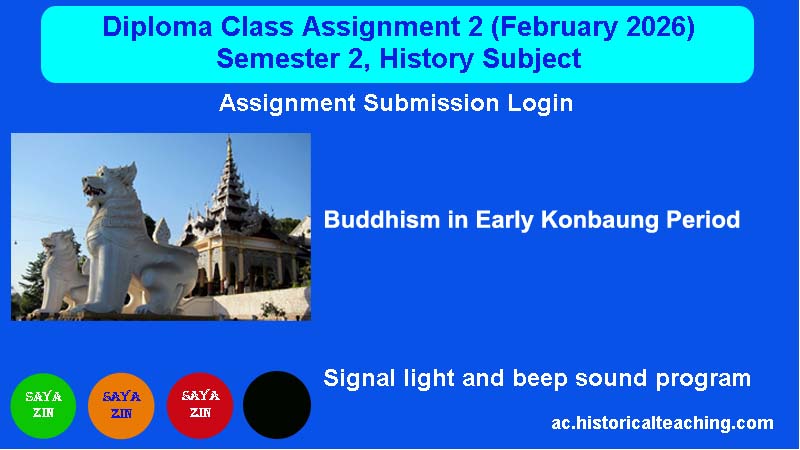
Assignment 2 (February 2026)
ITBMU, Diploma class assignment question 2 (Second Semester) February, 2026
Question: Explain how did king Bodawpaya settle a century long issue of the Vinaya of robe wearing style. (500 words).
Click the “Read More” button below to view the main key points for the above assignment question.
19 February 2026 to 27 February 2026 Deadline- 27 February 2026, Friday (9:00 PM)
⏳ Checking assignment deadline...
🎓 Assignment Submission Login
Please enter your Roll No. and Password to access the assignment form.
📌 Submit Your Assignment Below
New Design: Countdown Program (Signal light and beep sound program)
 | When the program starts, the green light will turn on. Program စတင်ဖွင့်တဲ့ အချိန်မှာ အစိမ်းရောင် အချက်ပြမီးလင်းနေပါမယ်။ |
 | Then, 15 minutes before the deadline on 27 February, 2026 (at 8:45 PM), the orange light will flash, and the alarm will beep every 10 seconds. ထို့နောက် Deadline 27 February 2026 ည ၉ နာရီထိုးရန် ၁၅ မိနစ်အလိုတွင် လိမ္မော်ရောင်မီးဖြင့် အချက်ပေးသံ beep sound သံက 10 စက္ကန့် တစ်ခါမည်၍ သတိပေးပါမယ်။ |
 | Five minutes before 9:00 PM, the red light will flash, and the alarm will beep continuously. ည၉ နာရီထိုးရန် ၅ မိနစ်အလိုမှာတော့ အချက်ပြမီး အနီရောင်ပြပြီး အချက်ပေးသံ beep sound သံဆက်တိုက်မည်လာပါမယ်။ |
 | The countdown will end at 9:00 PM. Therefore, the assignment submission will close at 9:00 PM on 27 February, 2026. ည ၉ နာရီမှာ Program ပိတ်ပါမယ်။ |
🔊
Beep Sound Test: Click the play button below to listen to a preview of the beep sound.

Beep sound is too loud. You can reduce the volume.
- 1. Enter your Roll No. and Password correctly, then click “Open Submission Form.”
- 2. Enter your Roll No. and Name, copy and paste your assignment answer into the “Assignment Body Box,” and click the “Submit Assignment” button.
- 3. Pre-type your text in an MS Word file and ensure it contains 500 words.
- 4. Assignment answers should not be identical (uniform) across students.
- 5. You need to click the “Submit Assignment” button only once. Each Roll No. can be submitted only once, and resubmission is not allowed by server.
သတိပြုရန်အချက်များ
- 1. Roll No. နှင့် Password ကို မှန်ကန်စွာ ရိုက်ထည့်ပါ၊ ထို့နောက် “Open Submission Form” ကိုနှိပ်ပါ။
- 2. Form ပွင့်လာလျင် သင်၏ Roll No. နှင့် Name ကိုရိုက်ထည့်ပါ၊ Assignment အဖြေကို “Assignment Body Box” ထဲသို့ ကူးထည့်ကာ “Submit Assignment” ခလုတ်ကို နှိပ်ပါ။
- 3. သင့်စာသားကို MS Word ဖိုင်တွင် ကြိုတင်ရိုက်ပြီး ၎င်းတွင် စာလုံး 500 ပါဝင်ကြောင်း စစ်ဆေးထားပါ။
- 4. Assignment အဖြေများသည် ကျောင်းသားများအတွက် တူညီသော အဖြေများမဖြစ်ရပါ။
- 5. “Submit Assignment” ခလုတ်ကို တစ်ကြိမ်သာ နှိပ်ရပါမယ်။ Roll No. တစ်ခုစီကို တစ်ကြိမ်သာ တင်သွင်းနိုင်ပြီး ဒုတိယအကြိမ် ပြန်လည်ပေးပို့ခြင်းကို ဆာဗာမှ ခွင့်မပြုပါ။

Recommended Browsers
660
 Users Today : 1
 Total Users : 102266